
 Zed
bb83b6b6d3
More API refactoring
Zed
bb83b6b6d3
More API refactoring
|
7 лет назад | |
|---|---|---|
| public | 7 лет назад | |
| src | 7 лет назад | |
| tests | 7 лет назад | |
| tools | 7 лет назад | |
| .gitignore | 7 лет назад | |
| LICENSE | 7 лет назад | |
| README.md | 7 лет назад | |
| config.nims | 7 лет назад | |
| nitter.conf | 7 лет назад | |
| nitter.nimble | 7 лет назад | |
| screenshot.png | 7 лет назад |

README.md
Nitter (WIP)
A free and open source alternative Twitter front-end focused on privacy. \ Inspired by the invidio.us project.
- No JavaScript or ads
- All requests go through the backend, client never talks to Twitter
- Prevents Twitter from tracking your IP or JavaScript fingerprint
- Unofficial API (no rate limits or developer account required)
- AGPLv3 licensed, no proprietary instances permitted
- Dark theme
- Lightweight (for @nim_lang, 36KB vs 580KB from twitter.com)
- Native RSS feeds
Todo (roughly in this order)
- Embeds
- More caching (waiting for moigagoo/norm#19)
- Simple account system with customizable feed
- Json API endpoints
- Themes
- Nitter logo
- Emoji support (WIP, uses native font for now)
Resources
The wiki contains a list of Nitter instances and a list of browser extensions maintained by the community.
Why?
It's basically impossible to use Twitter without JavaScript enabled. If you try, you're redirected to the legacy mobile version which is awful both functionally and aesthetically. For privacy-minded folks, preventing JavaScript analytics and potential IP-based tracking is important, but apart from using the legacy mobile version and a VPN, it's impossible.
Using an instance of Nitter (hosted on a VPS for example), you can browse Twitter without JavaScript while retaining your privacy. In addition to respecting your privacy, Nitter is on average around 15 times lighter than Twitter, and in some cases serves pages faster.
In the future a simple account system will be added that lets you follow Twitter users, allowing you to have a clean chronological timeline without needing a Twitter account.
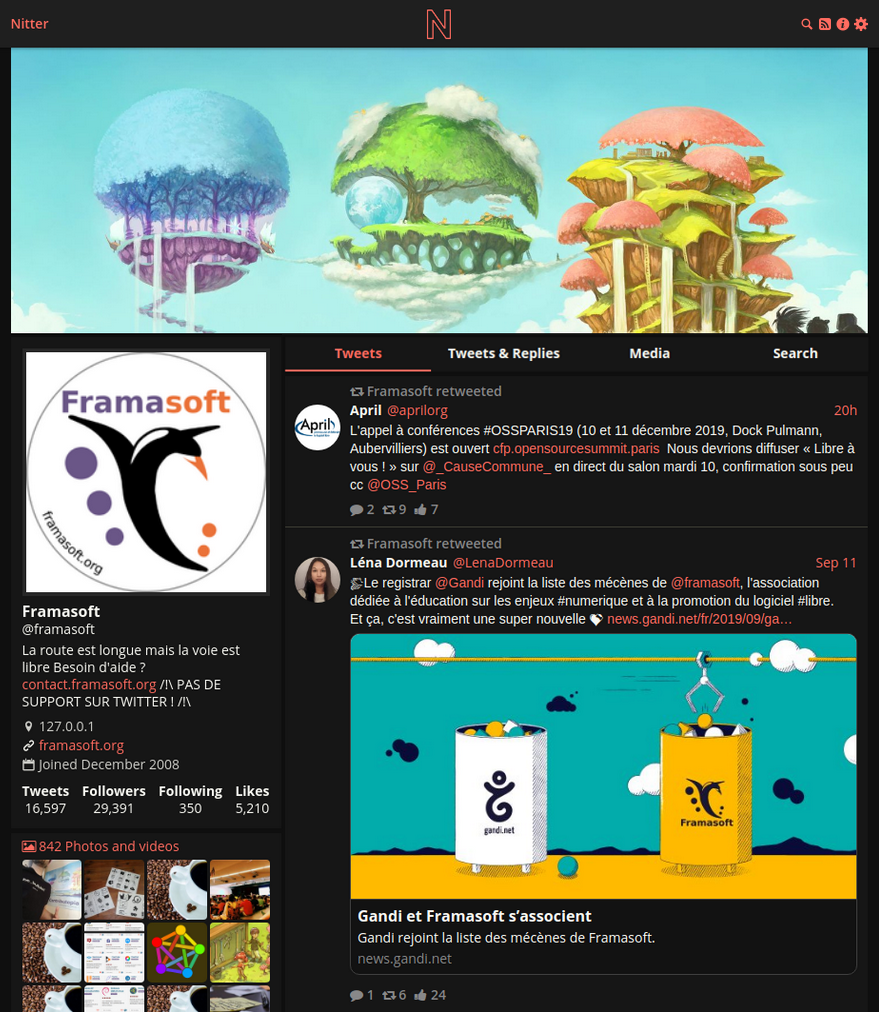
Screenshot
Installation
To compile Nitter you need a Nim installation, see here for details: https://nim-lang.org/install.html
You also need to install libsass to compile the scss files.
It is possible to install Nim system-wide or in the user directory you create below.
# useradd -m nitter
# su nitter
$ git clone https://github.com/zedeus/nitter
$ cd nitter
$ nimble build -d:release -d:hostname="..."
$ nimble scss
$ mkdir ./tmp
Change -d:hostname="..." to your instance's domain, eg. -d:hostname:"nitter.net".
Set your port and page title in nitter.conf, then run Nitter by executing ./nitter.
You should run Nitter behind a reverse proxy such as
Nginx or Apache for better security.
To run Nitter via systemd you can use this service file:
[Unit]
Description=Nitter (An alternative Twitter front-end)
After=syslog.target
After=network.target

[Service]
Type=simple

# set user and group
User=nitter
Group=nitter

# configure location
WorkingDirectory=/home/nitter/nitter
ExecStart=/home/nitter/nitter/nitter

Restart=always
RestartSec=15

[Install]
WantedBy=multi-user.target
Then enable and run the service:
systemctl enable --now nitter.service
Contact
Feel free to join our Freenode IRC channel at #nitter, or our Matrix server. You can email me at zedeus@pm.me if you wish to contact me personally.